No-Code AI Workflows for Case Intake
Discover no-code AI workflows for case intake in law firms. Automate client onboarding, conflict checks & CRM integration with n8n/Zapier for faster conversions.
Author: App Wizard
Published on January 13, 2026
Share this article
Share with your network or copy the link
No-Code AI Workflows for Case Intake
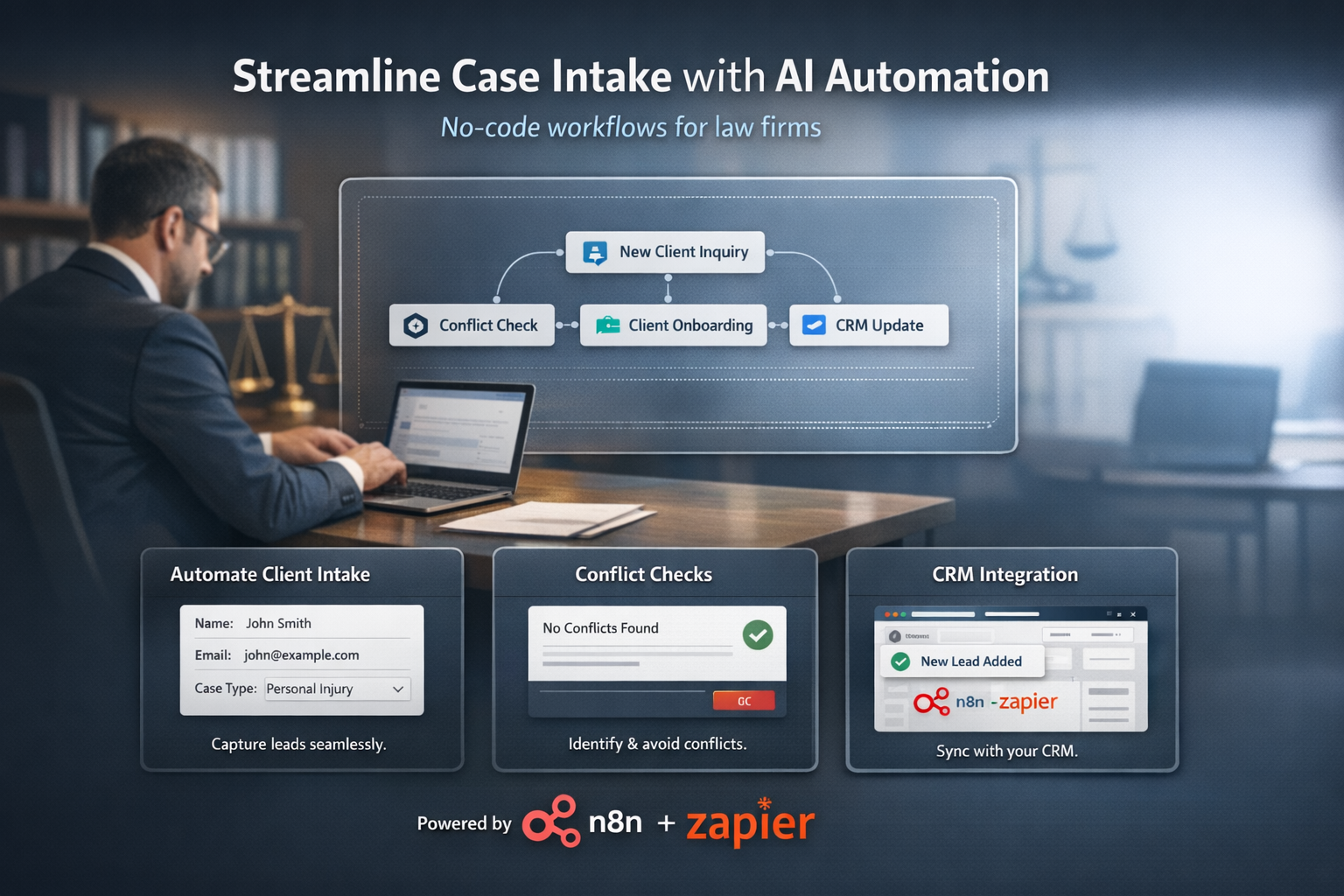
Law firms often lose potential clients due to slow, manual case intake processes involving forms, emails, conflict checks, and data entry. No-code AI workflows automate client intake, capturing leads instantly, performing compliance checks, generating summaries, and routing cases to attorneys using tools like n8n, Zapier, and Noloco. These solutions boost response times from days to minutes, improving conversions and client satisfaction.
The Gap Between Practice Management and CRM
Practice management software organizes cases and billing efficiently, while CRM software focuses on managing client relationships—tracking communications, nurturing leads, automating follow-ups, and identifying opportunities. Many law firms benefit from using both, enhanced by no-code AI workflows for seamless case intake integration.
Why Lawyers Need CRM
A robust CRM tracks all client interactions across email, phone, and in-person, manages leads through the sales pipeline, automates follow-ups, identifies cross-selling opportunities, builds client profiles, and tracks referral sources. Paired with no-code AI tools, CRMs handle initial lead capture and qualification automatically.
CRM vs. Practice Management: Choosing One or Both
Practice Management (e.g., Clio): Case-centric, focused on matter organization and billing.
CRM (e.g., HubSpot, Salesforce): Relationship-centric, focused on lead management and client communication.
Best Practice: Many firms use both, integrating them with no-code AI workflows to automate data flow between systems.
Key Features of No-Code AI Case Intake
1. Instant Lead Capture: Web forms or chatbots collect client details 24/7 with adaptive AI questions.
2. Automated Conflict Checks: Rules-based scans against databases, flagging issues for review.
3. AI Case Summaries: Generate structured overviews from intake data for attorney review.
4. Smart Routing: Assign cases to specialists based on practice area and availability.
5. Compliance Logging: Audit trails for every step, ensuring ethical standards.
6. CRM Sync: Push qualified leads directly into HubSpot or Clio pipelines.
Building Your First No-Code AI Workflow
Phase 1: Form Setup: Create intake form with Typeform or Noloco, add AI chatbot via Voiceflow for initial screening.
Phase 2: Core Automation: Use n8n or Zapier to trigger conflict checks, AI summaries via OpenAI, and CRM entry.
Phase 3: Notifications & Routing: Set Slack/email alerts, auto-route to attorneys, send client confirmations.
Phase 4: Test & Integrate: Run live tests, connect to practice management, monitor with dashboards.
Implementation Strategy
Phase 1: Setup and Configuration: Customize fields, create pipeline stages, and set up email integration with no-code AI nodes.
Phase 2: Data Import and Migration: Import client/prospect data, clean up and deduplicate records, and validate data integrity.
Phase 3: Team Training: Train team on data entry procedures, establish data quality standards, and create workflows for AI-assisted intake.
Phase 4: Integration with Practice Management: Automate data sync between CRM and practice management software using Zapier or n8n.
Data Hygiene and Best Practices
1. Regular Data Cleanup: Monthly reviews to remove duplicates and outdated information.
2. Standard Data Entry: Consistent processes for adding new contacts via automated forms.
3. Activity Logging: All interactions logged automatically by no-code tools.
4. Regular Review: Monthly assessment of pipeline and conversion metrics from case intake automations.
Measuring No-Code AI Success
Key Metrics: Intake response time reduction, lead-to-client conversion rate, automation ROI, conflict check accuracy, client satisfaction scores, cases processed per attorney. Track how AI workflows cut manual intake from hours to seconds.
Conclusion
No-code AI workflows transform case intake for law firms, bridging CRM gaps with instant, compliant automation using n8n and Zapier. Implement these solutions to capture more clients, reduce admin time, and scale your practice effectively.